🤖 AI Summary (Optional)
When your admin enables AI features, recordings can include an AI-generated summary and, where available, a transcript.
This helps learners and participants quickly catch up on what was covered.

✅ What you get
- Concise meeting summary — a short overview of the main topics.
- Transcript (finalized text) — searchable, scrollable record of what was said.
- ⏩ Faster catch-up for anyone who missed the session.
AI Summary is generated only for meetings longer than 10 minutes.
🔔 How it appears
- Recordings will show a new AI Summary badge.
- Clicking it opens the generated notes and transcript (if available).
- Works alongside existing Podcast, Video, and Presentation recording types.
📄 What the summary looks like
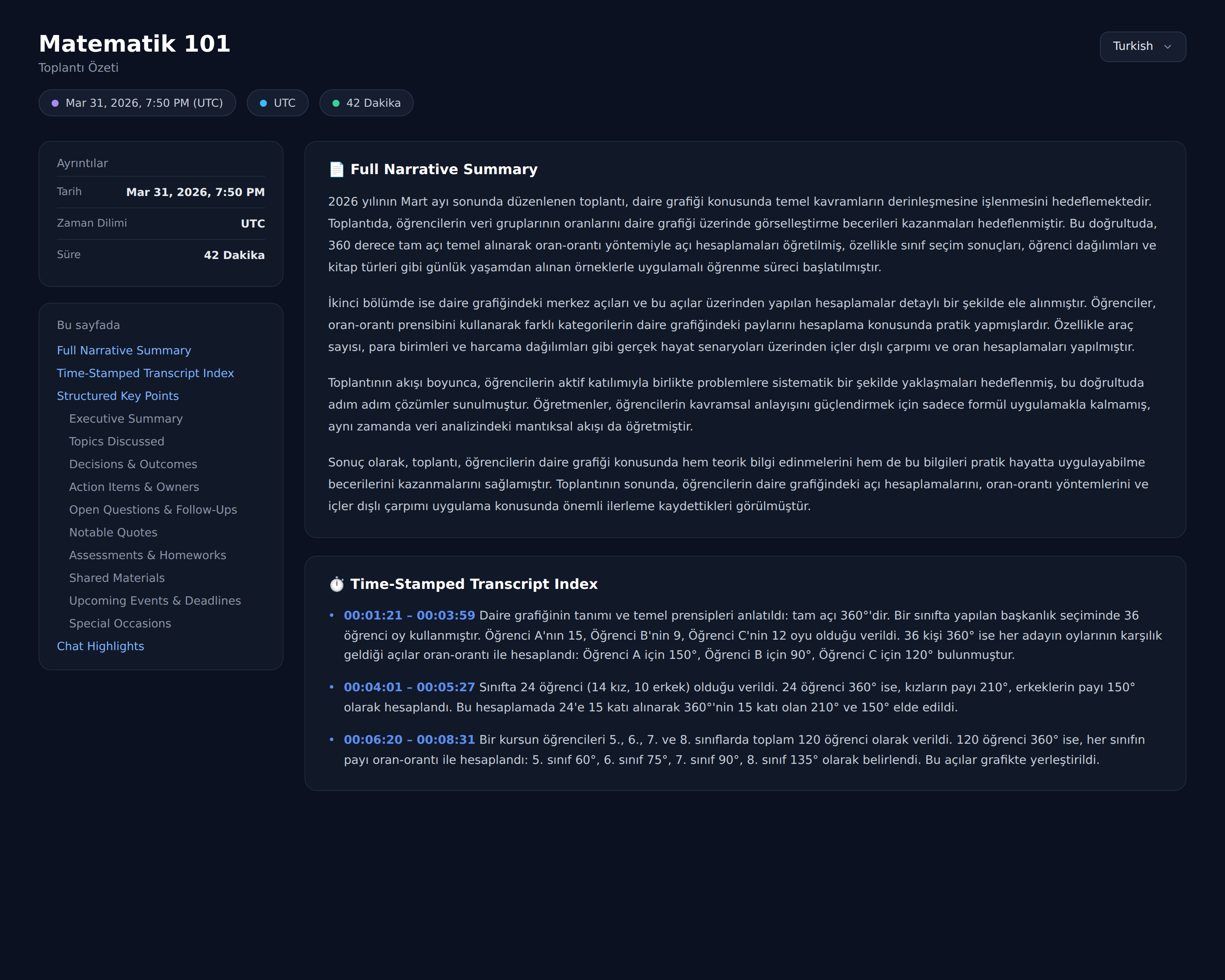
Opening the AI Summary shows a full write-up — a Full Narrative Summary, a Time-Stamped Transcript Index, and Structured Key Points (topics discussed, decisions & outcomes, action items, assessments & homework, and more). A language selector in the top-right lets you read it in your language.
AI features must be enabled by your organization.
If you don’t see an AI Summary badge, ask your admin to enable transcription & summarization in:
Settings → ⚙️ BigBlueButton Settings → Artificial Intelligence
🔒 Privacy & Compliance
- AI processing may be subject to your organization’s data privacy policies.
- Share summaries and transcripts only with the audience that should see them.
- If compliance is critical (e.g., education or enterprise), verify how transcripts are stored and who can access them.