🤖 AI Summary (Optional)
When your admin enables AI features, recordings can include an AI-generated summary and, where available, a transcript.
This helps learners and participants quickly catch up on what was covered.

✅ What you get
- Concise meeting summary — a short overview of the main topics.
- Transcript (finalized text) — searchable, scrollable record of what was said.
- ⏩ Faster catch-up for anyone who missed the session.
Availability
AI Summary is generated only for meetings longer than 10 minutes.
🔔 How it appears
- Recordings will show a new AI Summary badge.
- Clicking it opens the generated notes and transcript (if available).
- Works alongside existing Podcast, Video, and Presentation recording types.
📄 On the summary page
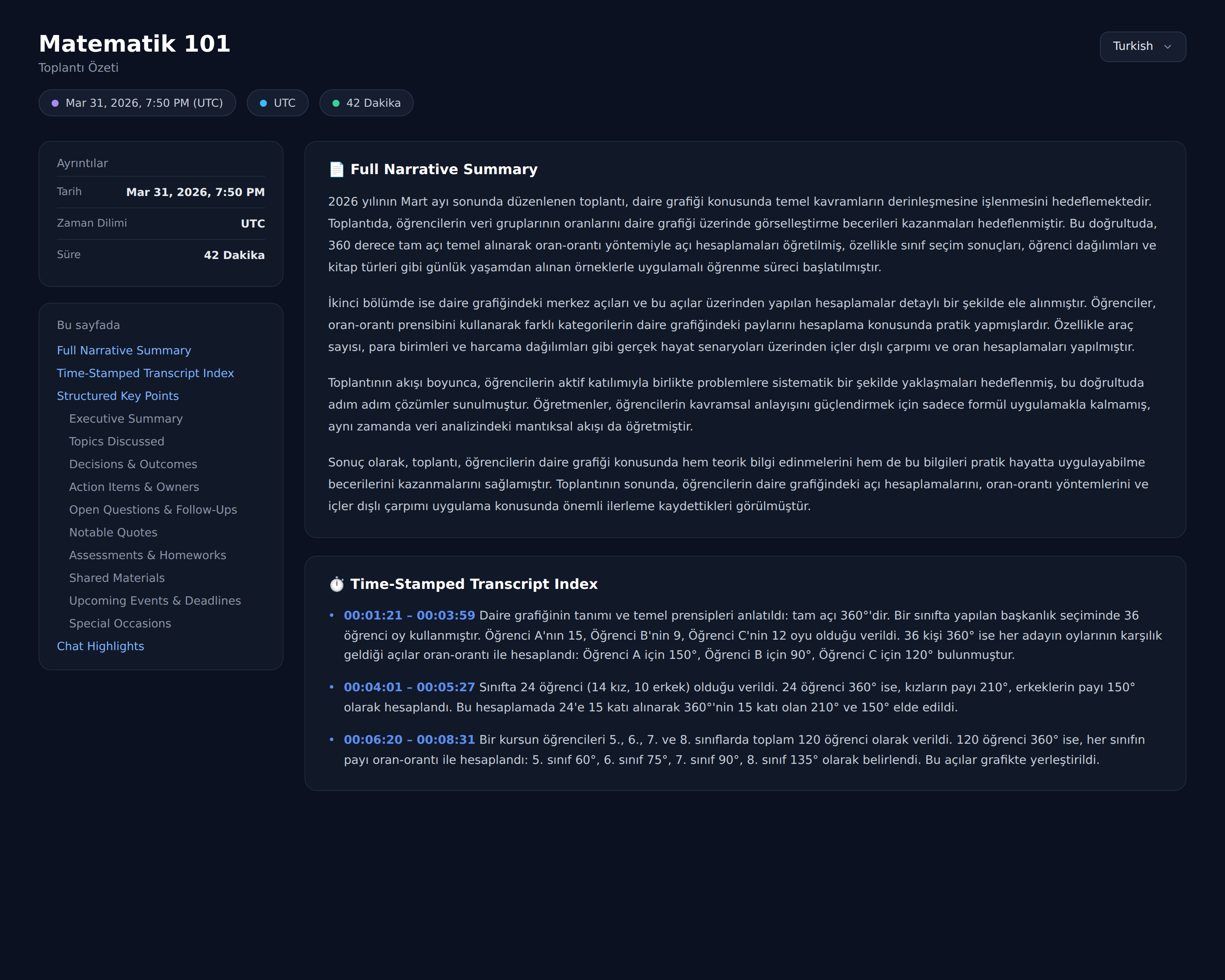
The summary view brings the whole session together in one place:
- Outline — the key topics and points covered.
- 📅 Upcoming events — any dates or follow-ups detected in the discussion, each with add-to-calendar links (individually or combined as one
.ics). - Transcript — the full, searchable text.
- 🌐 Language switch — re-translate the summary and transcript into another language; right-to-left languages are detected and displayed correctly.
Pro tip
AI features must be enabled by your organization.
If you don’t see an AI Summary badge, ask your admin to enable transcription & summarization in:
Settings → ⚙️ BigBlueButton Settings → Artificial Intelligence
🔒 Privacy & Compliance
- AI processing may be subject to your organization’s data privacy policies.
- Share summaries and transcripts only with the audience that should see them.
- If compliance is critical (e.g., education or enterprise), verify how transcripts are stored and who can access them.