🧠 AI ChatBot (Beta)
The AI ChatBot is an assistant built into your dashboard that answers questions about your own meetings, lectures, attendance, and recordings — grounded in your account's data.
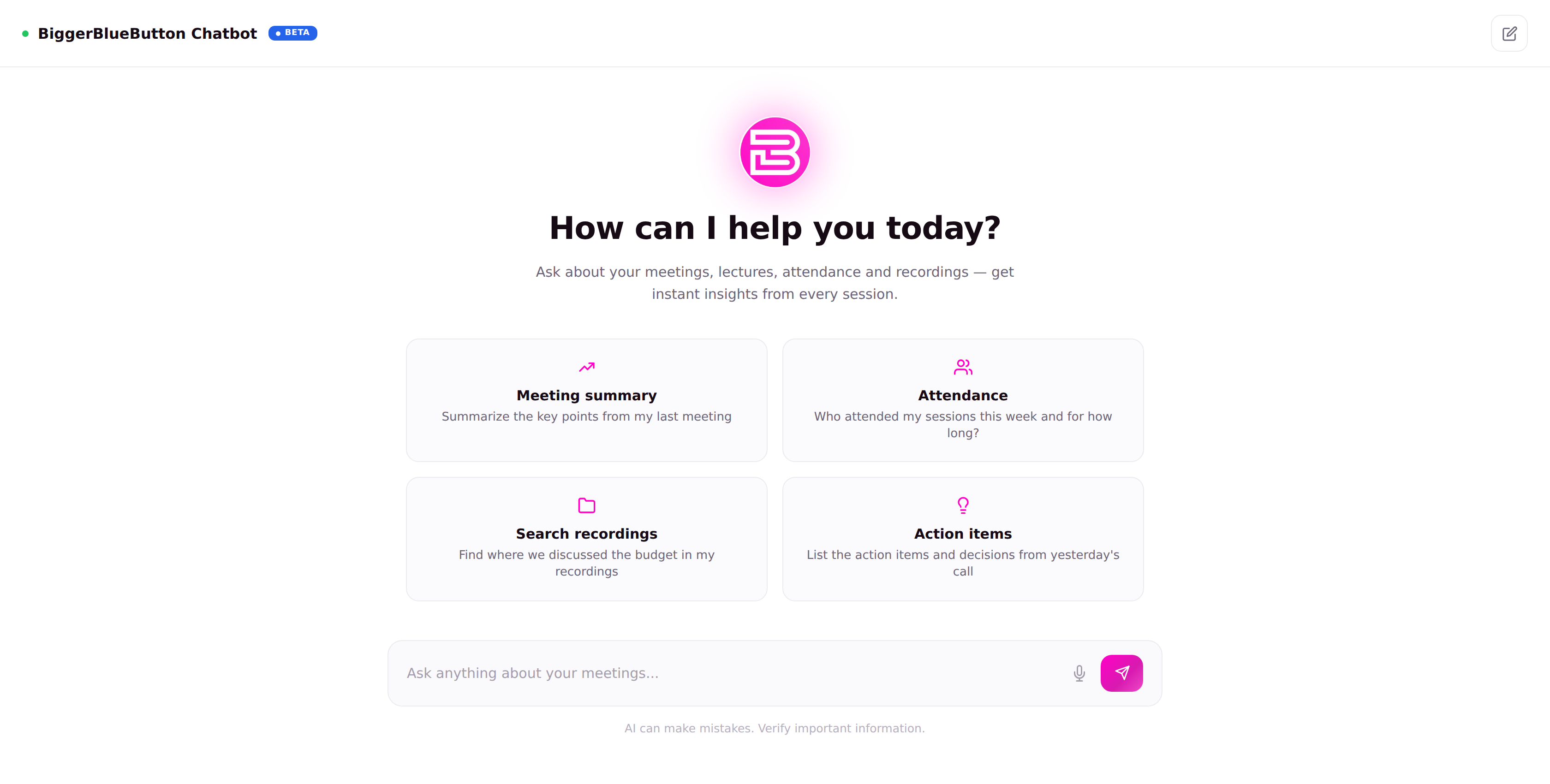
The ChatBot is now live in Beta. You'll see a blue Beta badge on the sidebar item and at the top of the chat.
The ChatBot requires the view-chatbot privilege. If you don't see the Chatbot item in the sidebar, ask your account owner to grant it.
💬 What you can ask
Ask in natural language about anything the platform has recorded for you. The welcome screen suggests a few starting points:
- 📝 Meeting summary — “Summarize the key points from my last meeting.”
- 🙋 Attendance — “Who attended my sessions this week and for how long?”
- 🔎 Search recordings — “Find where we discussed the budget in my recordings.”
- ✅ Action items — “List the action items and decisions from yesterday's call.”
✨ How answers work
- Answers are formatted with light markdown (bold, italic) for readability.
- Links, URLs, and email addresses become one-click “link chips” that open in a new tab.
- Each answer carries a reminder: “AI can make mistakes. Verify important information.”
Per-message actions
- Copy any message.
- Regenerate an assistant answer.
- 👍 / 👎 react to an answer.
- Edit your own question and re-ask.
🗂️ Conversations
- Your chats are saved in a conversation sidebar you can search.
- Pin important chats, rename them, or delete them.
- Start a fresh thread anytime with New chat.
- The first question you ask becomes the conversation's title.
🎙️ Voice input
Use the microphone button to dictate a question with your browser's speech recognition (availability depends on your browser).
🔒 Privacy
The ChatBot answers from your account's own meetings and recordings — conversations are private to your user. As with any AI output, review important details before acting on them.