🧾 Activity Logs
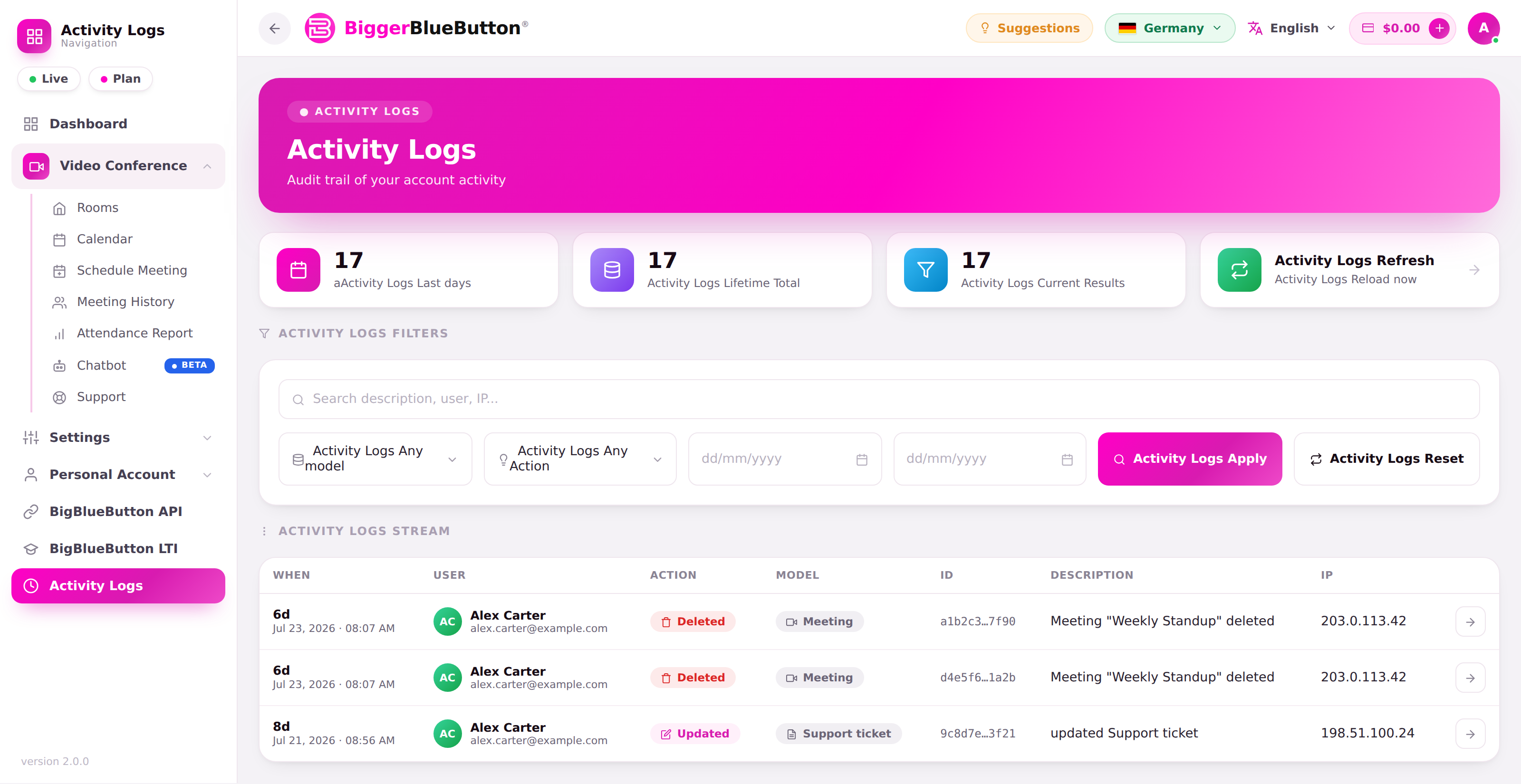
Activity Logs give you an audit trail of important actions on your account — rooms and meetings created or deleted, recordings published, settings changed, and more.
Access
The Activity Logs page requires the view-activity-logs privilege. As a regular account you see your own activity; administrators see a global audit trail across accounts.
📈 At a glance
Summary tiles show:
- Recent activity — entries in the last 30 days.
- Total — lifetime entry count.
- Results — how many entries match your current filters.
- Refresh — reload the latest activity.
🔍 Filters
Narrow the log with:
- Search — free-text across entries.
- Model — the type of object affected (Room, Meeting, User, or system).
- Action — created, updated, deleted, restored, published recording, unpublished recording, and more.
- From / To — a date range.
Active filters appear as removable chips so you can see exactly what's applied.
📋 What each entry shows
| Column | Description |
|---|---|
| When | Relative time plus the exact date/time |
| User | Who performed the action |
| Action | A color-coded action pill |
| Model | The affected object type |
| ID | The affected record's identifier |
| Description | A short summary of what happened |
| IP | The IP address the action came from |
Open any entry for details — including the user agent, and a field-changes table showing the old and new values for anything that changed.
Security
Sensitive values (such as rotated API secrets) are masked in the log, so the audit trail never exposes them.