📅 Meetings History
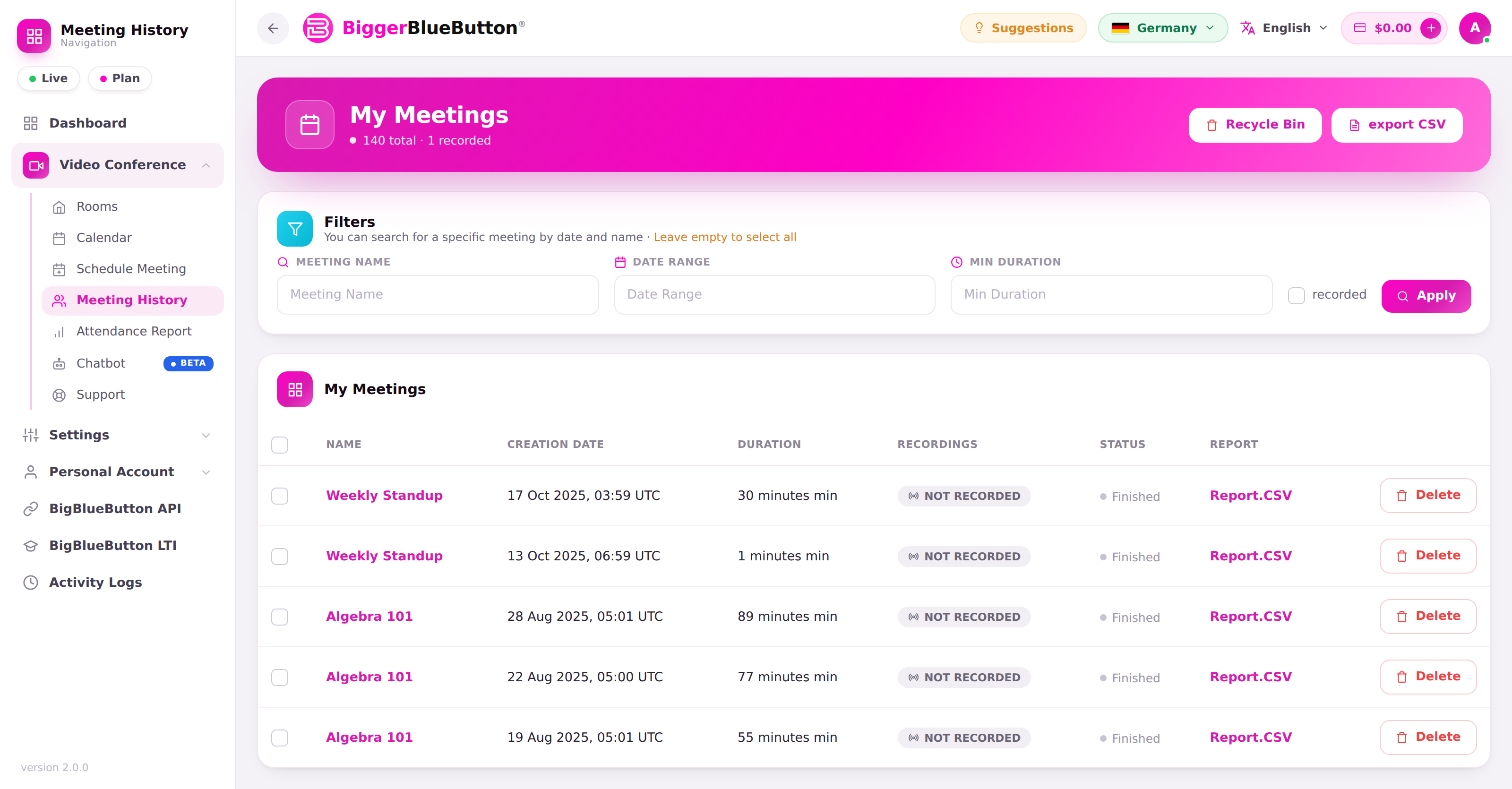
This page lists all past and in-progress meetings for your account, with header counts for total, running, and recorded meetings.
What you can do
- 🔍 Search & filter meetings by name, date range, minimum duration, and whether they are recorded.
- 📊 Review status of each meeting (running or finished) and check whether Recordings exist.
- ⬇️ Export the current list to CSV (respects your filters).
- 📣 Message or broadcast to running meetings.
- 🗑️ Delete finished meetings — with a Recycle bin to restore them.
Filters
- 📝 Meeting Name — type part of a title; a typeahead suggests matching meeting names.
- 📆 Date Range — pick start/end dates to filter by time window.
- ⏱️ Min Duration — only show meetings longer than the value you enter.
- 🎥 Recorded — restrict results to meetings with recordings.
- ✅ APPLY — run the search with the selected filters.
Table columns
- 📌 Name — meeting title (clickable to open the meeting's detail page if you own it).
- 📅 Creation Date — when the meeting started.
- ⏱️ Duration — total runtime.
- 🎞️ Recordings — publish/unpublish state and available formats (Presentation, Video, Download, Podcast, AI Summary).
- 📡 Status — Running or Finished.
- 📑 Report — Learning Dashboard CSV for finished meetings.
Row & bulk actions
- 🗑️ Delete — soft-deletes a meeting you own (its recordings are unpublished). Deleted meetings go to the Recycle bin.
- ➖ Remove from history — for meetings you only joined, removes just your record (not the meeting).
- ☑️ Select rows to reveal a bulk action bar with Send broadcast message, Publish / Unpublish recordings, and Delete (each gated by your privileges).
📣 Messaging running meetings
Send a message to one selected running meeting, or broadcast to all of your running meetings at once — it appears in the meeting's public chat.
♻️ Recycle bin
Deleted meetings are kept for a short window (about 7 days) before their storage is freed. Open the Recycle bin from the Meetings page to:
- Restore a meeting back to your history.
- Permanently delete it — this erases its recordings and frees storage immediately.
Each recycle-bin row shows the meeting name, storage used, and the date it was deleted.
🔎 Meeting details
Open a meeting you own to see its detail page: key stats (created, duration, participants, status), recording tiles, an attendees table (name, email, join time, role), guests, any breakout rooms, and the embedded Learning Dashboard. If the meeting is running, you can Join or Send a message from here.
Export
Use ⬇️ Export CSV (top-right) to download the current list; it respects your active filters.