💳 Payments & Subscriptions
Overview
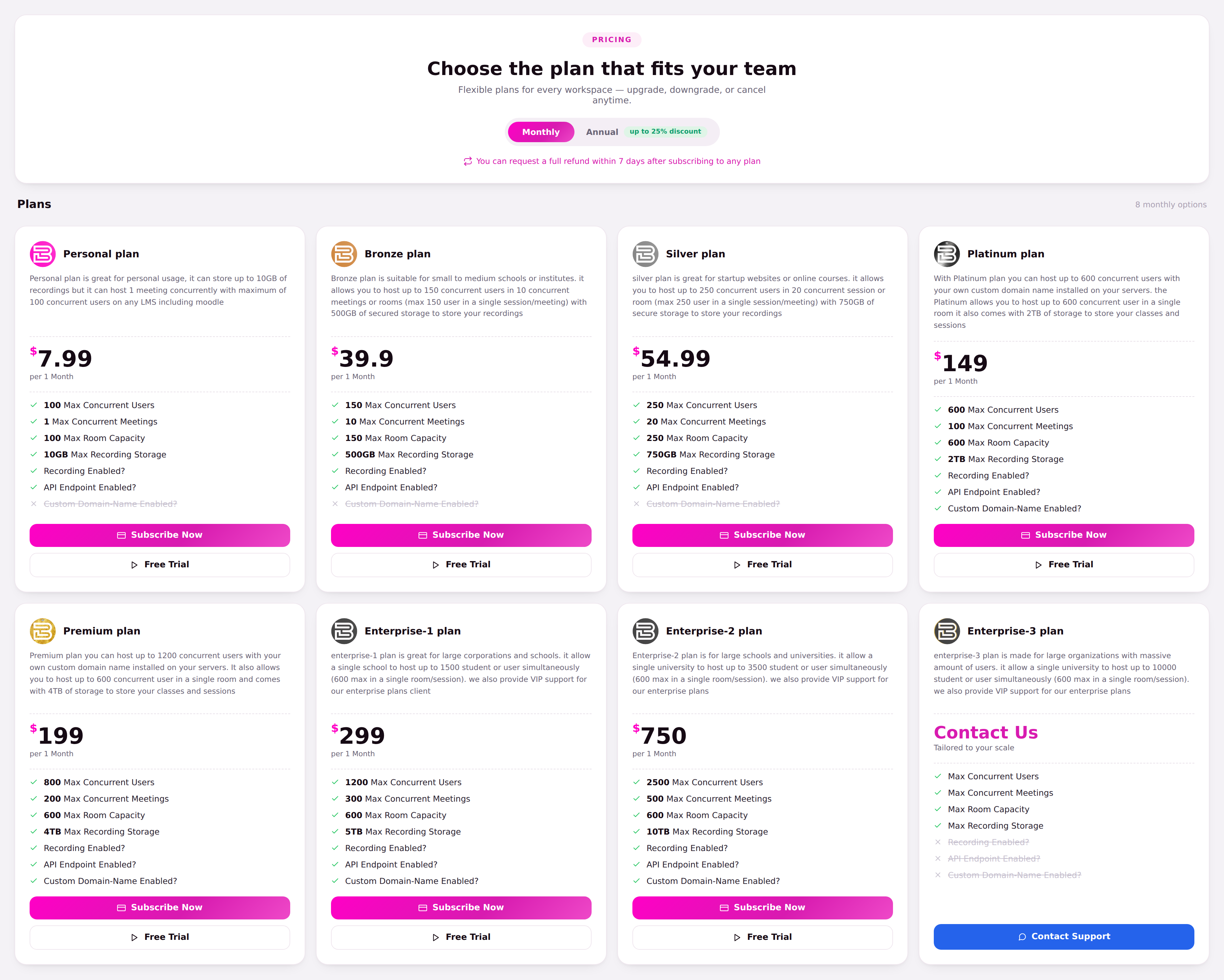
Use the Purchase Plan page to pick a subscription and manage billing. You can switch between Monthly and Annual billing, compare plan features, start a free trial, or subscribe immediately.
What you can do
- 🔄 Toggle the billing cycle (Monthly / Annual) — annual billing is discounted (up to ~25%).
- 📊 Compare available plans and their limits.
- 📋 Review each plan's limits (concurrent users, concurrent meetings, room capacity, recording storage) and features (recording, API endpoint, custom domain, VIP support).
- 🚀 Start a 7-day free trial or Subscribe to activate a plan.
- 🎟️ Apply a promo code at checkout.
🧩 Plan tiers
The Plans page lists every plan as a card with its description, monthly price, limits, and included features. Prices below are the monthly rate (switch to Annual for up to 25% off).
| Plan | Price / mo | Concurrent users | Concurrent meetings | Room capacity | Recording storage | Recording | API | Custom domain |
|---|---|---|---|---|---|---|---|---|
| Personal | $7.99 | 100 | 1 | 100 | 10 GB | ✅ | ✅ | — |
| Bronze | $39.9 | 150 | 10 | 150 | 500 GB | ✅ | ✅ | — |
| Silver | $54.99 | 250 | 20 | 250 | 750 GB | ✅ | ✅ | — |
| Platinum | $149 | 600 | 100 | 600 | 2 TB | ✅ | ✅ | ✅ |
| Premium | $199 | 800 | 200 | 600 | 4 TB | ✅ | ✅ | ✅ |
| Enterprise-1 | $299 | 1200 | 300 | 600 | 5 TB | ✅ | ✅ | ✅ |
| Enterprise-2 | $750 | 2500 | 500 | 600 | 10 TB | ✅ | ✅ | ✅ |
| Enterprise-3 | Contact Us | Tailored to your scale — reach the team with Contact Support |
Each plan card also offers a 7-day Free Trial. Enterprise plans include VIP support.
💾 Storage add-on
Need more recording space without changing tiers? Add the Extend Storage add-on. Extra storage applies instantly to your current workspace limits and is billed on your chosen interval. Only one storage add-on can be active at a time.
How to subscribe
- 📅 Choose Monthly or Annual at the top.
- 🛠️ Pick the plan that fits your needs.
- 💵 Subscribe and complete the secure checkout — cards requiring 3-D Secure are handled automatically — or start a Free Trial to evaluate first.
If your profile is missing an address or organization, you'll be prompted to complete it before checkout.
🔁 Managing your subscription
The My Subscriptions page shows your current plan, trial badge, billing-cycle progress, next billing date and amount, and auto-renew status. From there you can:
- Upgrade — takes effect immediately, prorated for the rest of the cycle.
- Downgrade — scheduled for the end of the current period; your current (higher) limits stay until then. A banner lets you keep your current plan to cancel a pending downgrade.
- Cancel — you'll be asked for a reason; the plan stays usable until the period ends.
- Reactivate — resume a subscription that's set to cancel but hasn't ended yet.
🎟️ Free trial
- A 7-day free trial is available on paid plans.
- Only one trial per account, tied to the plan you choose. To trial a different plan, contact support.
- All your data (meetings, recordings) is retained after the trial ends.
💰 Refunds & cancellation
- Refund window: you can request a full refund within 7 days of subscribing to any plan.
- Annual plans: cancel anytime and receive a prorated refund of the unused remainder (already-used months are billed at the monthly rate).
- Exact policy is shown on the page banner at checkout.
Notes
- 🌍 Actual prices, limits, and features may vary depending on your account and region.
- 🧾 Paid invoices and billing documents are available on the Invoices page.